
Viewing photos
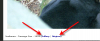
When you click on a medium image in the photo gallery and see the lightbox image, there are two links at the bottom left of the image after the image title (see attached screenshot)
The "Gallery" link takes you to the medium image (that's mostly just there for when you click on a photo in the forums and want to see the image in the gallery)
The "Original" link takes you to the original raw file - which will be opened in your browser window. You can then zoom in to 100% size and see all the detail if you wish.
When you click on a medium image in the photo gallery and see the lightbox image, there are two links at the bottom left of the image after the image title (see attached screenshot)
The "Gallery" link takes you to the medium image (that's mostly just there for when you click on a photo in the forums and want to see the image in the gallery)
The "Original" link takes you to the original raw file - which will be opened in your browser window. You can then zoom in to 100% size and see all the detail if you wish.
Attachments
Last edited: