Why are my photos so crappy?

Well they would not be any larger than what you see there anyway. The one you posted (that I worked off) was a tiny file, so you are seeing the full pixel count already.
 
RAW has made my pictures [in my opinion] better as I've been able to fix simple mistakes. In animal photography you don't get a very large window of time to take the picture, so you don't have time sometimes to chance ISO's, White balance etc there and then.

My photos usually sharpen from 1 to 10, contrast to -1 or -2, shadow to +1 or +2. Sometimes I tweak the brightness, the highlights and the noise if I feel it helps.

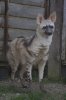
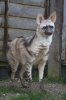
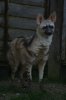
Here is an aardwolf at Hamerton, before and after as an example.
 

Attachments

  • 267 - Eastern aardwolf.JPG
    267 - Eastern aardwolf.JPG
    3.1 MB · Views: 19
  • Eastern aardwolf2.JPG
    Eastern aardwolf2.JPG
    8.4 MB · Views: 32
Javan Rhino - I prefered the first one (on the left). In the thumbnails the one on the right looks better, but when you open the picture the one on the right is not only to light, but way too noisy.

Sorry, just my opinion.

:p

Hix
 
Javan Rhino - I prefered the first one (on the left). In the thumbnails the one on the right looks better, but when you open the picture the one on the right is not only to light, but way too noisy. Sorry, just my opinion. :p Hix

It is noisier, and I don't know why as when I view the image in Windows Live Photo Gallery it's fine :s

I think the first one is too dark, the latter looks closer to a 'Gentle Lemur' picture when I view it in anything else with lower contrast etc :)

Edit: Just had a bit more of a play, the noise should be fixed which was the biggest problem with the picture [though can't understand why it looks fine in everything else I open the picture in] - I don't like it as much as I think the colours are a bit too vivid I think, but hey-ho :)
 

Attachments

  • aardwolf.JPG
    aardwolf.JPG
    6.7 MB · Views: 18
...the one on the right is not only to light, but way too noisy.
If the aardwolf on the right looks too light, then it might be an idea to do a quick check of your monitor calibration, it could go +1.5EV before any part became over-exposed.
 
The really important thing about RAW images, as JR's aardwolf shows, is that if you keep the RAW image (and a backup too of course) you can process it any way you want and then do it again differently tomorrow or next week or in 2022 - when software may be able to do the most amazing things :)
As I have quoted in previous threads, a RAW file is the digital version of the old-fashioned negative - a skilled worker can bring a range of different images out of that file.

Alan
 
Stefka
Thanks for the tips. I think that for my serious photography outings I will carry a tripod. On a whistlestop tour of a zoo, probably not.

I like posting stuff on a thread rather than PM so that everyone can benefit from the knowledge transfer. Even the experts may pick up a helpful tip or two. I am glad to hear that you are reading the thread as well.

Hix and SMR
Great suggestions. I have been leaving my camera on AI Servo (on the off chance I see a bird in flight :D) but the camera seems to 'jitter' a lot and throws things in and out of focus. From what you are describing, it seems as though I need to change the focus point to just the one in the middle, and then set it to AI Focus, and I should be fine. I will definitely try that approach. I also think that as a novice photographer, I am falling into the trap of using Aperture mode, and setting it to the lowest possible f-number, as I really like the idea of the subject in focus, and everything else blurred. The downside, as you pointed out, is that the wings or flank might be in focus, but not the eyes. I'll try a larger f-number next time.

Gentle Lemur
I am glad you like the photo. No, I won't stress you out for a personal version though. I guess that I just wanted to see if post-processing could really make an average photo into a stunning one. I do wonder to what degree those award-winning pics have been post-processed, because if the answer is a lot, then it's like comparing an average girl with no make-up, to a supermodel who is on a photoshoot.

Arizona Docent
Thanks for the tips, and for having a go at improving my pic. You notice the way that we can click to enlarge Javan Rhino's pics? Maybe if you re-uploaded the pics as attachments, then we might be able to click to enlarge? Keep us posted on your RAW vs JPEG verdict. In the mean time, I think that I still need to learn the basics of using my camera (like how to get my subject in focus!), before I graduate to using RAW.

I'll let you folks slug it out with Javan Rhino about which is a better pic. :D
 
I have been leaving my camera on AI Servo (on the off chance I see a bird in flight :D) but the camera seems to 'jitter' a lot and throws things in and out of focus. From what you are describing, it seems as though I need to change the focus point to just the one in the middle, and then set it to AI Focus, and I should be fine.
AI Servo is really only for moving targets, there's no reason to use it otherwise and it is the least accurate of the three Canon modes (its purpose is to try and predict movement, which is why it 'hunts' with stationary objects).

Personally, if the subject isn't moving, I always use one-shot. AI Focus is an attempt to combine the two and switch to AI Servo when a subject moves, so again it can be prone to error.

You'll find the centre focus point is often the quickest to lock if you're shooting through wire or glass, but you don't have to use it if you'd like to put your subject off-centre, just switch to a focus point that's on your subject. You can quickly learn to do that whilst looking through the viewfinder.

As for the large aperture, that's really an artistic decision, provided the depth of field is enough to get all of what you wanted in focus. A large aperture also gives you a faster shutter speed and a lower ISO.
 
I made a quick stop in Melbourne Zoo today, and took your advice of:

a. setting the focus to just the middle focus point
b. one shot (rather than AI something or the other)
c. doing a little post processing (I just increased the contrast and saturation)
d. cropping

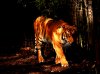
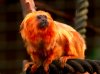
I came up with these 2 shots which aren't Nat Geo quality, but definitely better than my little point-and-shoot! Cheers folks. I'll keep posting pics as I (hopefully) get better at taking them.
 

Attachments

  • tiger 3.jpg
    tiger 3.jpg
    470.6 KB · Views: 17
  • tamarin 3.jpg
    tamarin 3.jpg
    508 KB · Views: 16
And in both pics the eyes are in sharp focus, which is great. The saturation on the tiger is a tad too much for my taste (unless you were going for a late afternoon lighting effect), but the GLT looks really good!

Well done!

:p

Hix
 
Nothing wrong with these at all, well done! I would have processed them differently, but that's just personal taste. Modern cameras are complex, so you can't expect to get the most out of them straight away: as you take more photos you will become a better photographer :)

Alan
 
Last edited:
Hi folks. Thanks for the kind words.

I think step 1 is to try and get the subjects in focus, which with your help, I seem to have cracked. The tiger is a bit blurry, but the lighting wasn't great and he was pacing. I am surprised that the tamarin's cage appears to be behind him because it was, of course, in front.

Step 2 is to keep playing around with the software to see what effect each of the variables has on the photo (e.g. saturation, hue, RGB lines etc). In the mean time, I think that I just need to keep taking lots of photos.

I found that I took about 100 photos yesterday at the zoo, but I deleted most (I didn't like the lighting, it was blurred, the animal looked away etc). Indeed, I took about 15 pics each of the tamarin and the lion, but I only liked these two. Do you take lots of pics, only to delete most?
 
The tiger is a bit blurry,

But the eyes were in focus, and that's what counts. As I siad earlier to have the eyes and the whole tiger in focus you would need a smaller aperture (= bigger f-stop), probably f24 of f32. This would mean a slow shutter speed, which would have blurred the entire animal as it was moving.

nanoboy said:
I found that I took about 100 photos yesterday at the zoo, but I deleted most (I didn't like the lighting, it was blurred, the animal looked away etc). Indeed, I took about 15 pics each of the tamarin and the lion, but I only liked these two. Do you take lots of pics, only to delete most?

Yes. Exactly. Sometimes I keep most of the good ones, but many of them look almost the same, so I've started deleting just to keep the best.

:p

Hix
 
I found that I took about 100 photos yesterday at the zoo, but I deleted most (I didn't like the lighting, it was blurred, the animal looked away etc). Indeed, I took about 15 pics each of the tamarin and the lion, but I only liked these two. Do you take lots of pics, only to delete most?

Only 100? It must have been a short visit :D
Back in the Pleistocene when we used films, I would turn up at a zoo with two rolls of 36 exposures each (but you could usually rely on 37 if you loaded carefully). If I was really flush or it was a special occasion (like my first visit to Howletts) I'd take another roll as well :)
So I love being able to shoot the way that only the pros used to do. I shoot a couple of record shots first, then I try to improve the composition or get a bit closer or change the angle of the light or wait for the animal to pose better - then I'll probably shoot a few shots and chimp* a bit and try again. Unless your subject is as static as a sleeping tortoise you will probably find that your apparent duplicates are not identical, on careful examination one will stand out as that little bit better. I delete all faulty shots (blurs, irredeemable exposures and composition faults), plus any record shots that have been superseded by better pictures, but I find it hard to delete as many as I should. I don't think I have ever regretted taking too many photos, but I would hate to take too few.

Alan

* this is my favourite digital photography technical term: it means looking at your photos on the screen of your camera (to check composition, histogram etc). It's called chimping because some photographers get carried away with excitement and make 'ooh, ooh, ooh' noises as they skip through their images (of course I never do this and I've never met a ZooChatters who did ;))
 
It's called chimping because some photographers get carried away with excitement and make 'ooh, ooh, ooh' noises as they skip through their images (of course I never do this and I've never met a ZooChatters who did ;))
The day I took the photograph I use as my avatar, I became so excited that the people with me asked if I was OK. :o
 
Deleting the poor ones, or at least not inflicting them on the world, is a great step! People going somewhere and uploading 120 photographs of similarly blurred animals, or some nice sharp bars with a black blur behind, or a nice flash on a window with a vague blurred eye looking out from behind which you are supposed to exclaim with joy over is one of the downsides of digital photography, at least before they could only afford 36 crappy photos.
 
Hey folks, cheers for the posts and the comments about taking lots of pics and deleting crappy ones. I quite like the "chimping" term - I definitely do it! I share your sentiments on some of the cons of digital photography too.

Let's take a walk down memory lane. How did you take pics in the old days? What I mean is that I can take a pic with a particular shutter, ISO, and aperture setting and immediately look at the result and adjust a few parameters if the pic is too bright or dark or blurred etc. But in the days of film, how exactly did you do it? Did you have to wait until the film was developed to say "oh crap, I should have used a faster shutter speed"?
 
nanoboy said:
...in the days of film, how exactly did you do it? Did you have to wait until the film was developed to say "oh crap, I should have used a faster shutter speed"?
basically, yes. Once I took an entire roll of photos with the lens cap on. Didn't know until I took the film in to be developed. :D
 
better than taking an entire roll of photos when there's not even any film in the camera :D
 
Back
Top