ZooChat Font

Smaggledagle

Well-Known Member
5+ year member
Is there a way to change the font in settings for messages? For some reason when I logged onto ZooChat this time my font was not Arial, which is what I usually have.

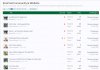
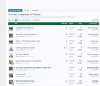
I left 2 files in, one is what a zoochat image looks on a normal day to what it looks as I am currently typing this.
 

Attachments

  • Compare zoochat.jpg
    Compare zoochat.jpg
    96.7 KB · Views: 23
  • Zoochat font weirdness.jpg
    Zoochat font weirdness.jpg
    92.6 KB · Views: 23
Is there a way to change the font in settings for messages? For some reason when I logged onto ZooChat this time my font was not Arial, which is what I usually have.

I left 2 files in, one is what a zoochat image looks on a normal day to what it looks as I am currently typing this.
You click the button in the middle of the top row with the letter A with 2 arrows pointing up and down. It should show the numbers 1 through 7 and choose number 3, which is default.
This is size 1.
This is size 2.
This is size 3, which is the normal size.
This is size 4, which for some reason is smaller than size 3.
This is size 5.
This is size 6.
This is size 7.
 
Is there a way to change the font in settings for messages? For some reason when I logged onto ZooChat this time my font was not Arial, which is what I usually have.

I left 2 files in, one is what a zoochat image looks on a normal day to what it looks as I am currently typing this.
I often finds that this happens to me when I have poor connection and the site has trouble loading, but it is easily fixed by a refreshing of the page or by simply waiting a few minutes. Presumably that isn’t working for you?
 
I often finds that this happens to me when I have poor connection and the site has trouble loading, but it is easily fixed by a refreshing of the page or by simply waiting a few minutes. Presumably that isn’t working for you?

Nope, I thought it was bad internet so i restarted my computer, but that did not work for me.
 
Something is blocking the CSS from loading correctly.

Have you recently implemented a VPN or ad blocking software or any other type of security software - or a new browser? Try disabling them and see if that works.

Also, trying using a different browser to see if that behaves differently.
 
Something is blocking the CSS from loading correctly.

Have you recently implemented a VPN or ad blocking software or any other type of security software - or a new browser? Try disabling them and see if that works.

Also, trying using a different browser to see if that behaves differently.

I am currently using Brave right now, I just tinkered with the font combination so it's all fine now.
 
Back
Top