
There was a major new version of the forum software released just before Christmas. It has been 3 years in development and I've spent a lot of time over the past 12 months working with the developers during their beta test phase to help get the software to where we need it to be.
The new platform is a complete rewrite (as in, they pretty much threw out all the existing code and started from scratch!) and all customisations I've made for ZooChat will need to be completely rebuilt to work on the new version - no direct upgrades possible! So until now it wasn't really worth doing further customisations to the site because I'd have to build them again before I could upgrade to the new version.
But now that the new software platform is available, it is a good time to look at building new functionality (and fix some existing functionality!) for the next version of ZooChat.
I'd welcome any suggestions for features or functionality you'd like to see on this site.
For reference, here is a long thread about the announcement of the current version of ZooChat (v3) being launched: Welcome to the new ZooChat
... and here is a thread where I show the previous versions: Happy Birthday ZooChat
Some new features that are coming and some additional functionality I'm already looking at building:
Media Gallery
Most importantly - we do have a "new media comments" search available - it tracks which images you've "read" and will show you only new or updated media.

For new functionality: we can now do funky things like include an "album" of photos within a photo category. I haven't had a chance to play with this yet, so I'm not sure what the limitations might be - but I'm hoping we will be able to do things like allow users to upload a group of photos from a single visit to a zoo gallery into their own album, which will help with managing the clutter. Then again, we may just end up with more/different clutter - some experimentation required there.
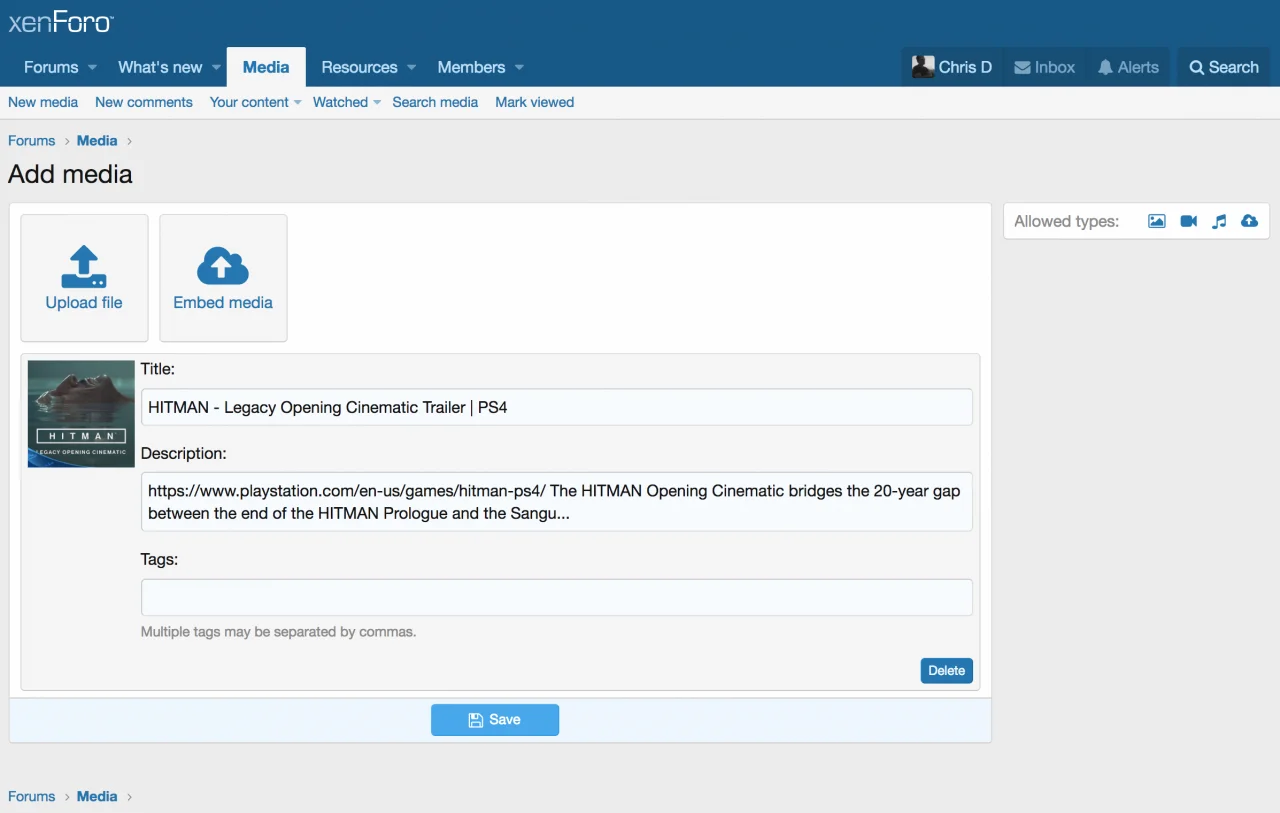
The upload experience should be a lot smoother in the new version.
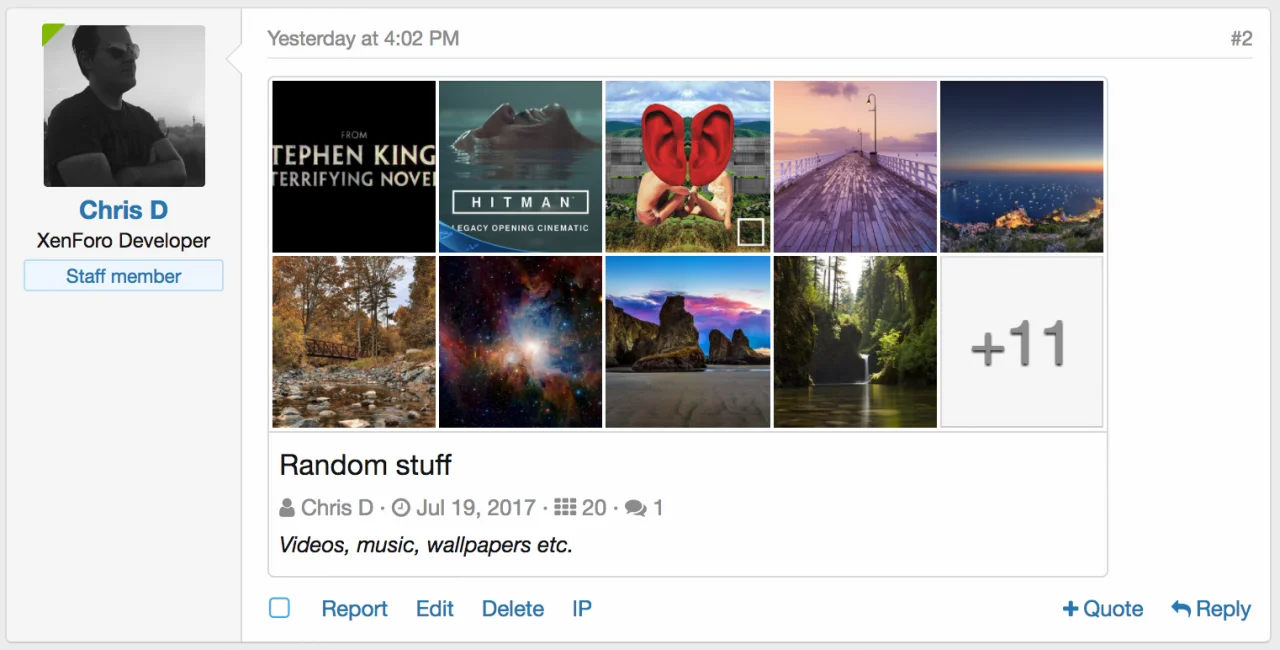
There is a new "embed album" bbcode which you can use to show a collection of photos in a thread (you don't get to choose the specific photos - it just shows all photos from that gallery):
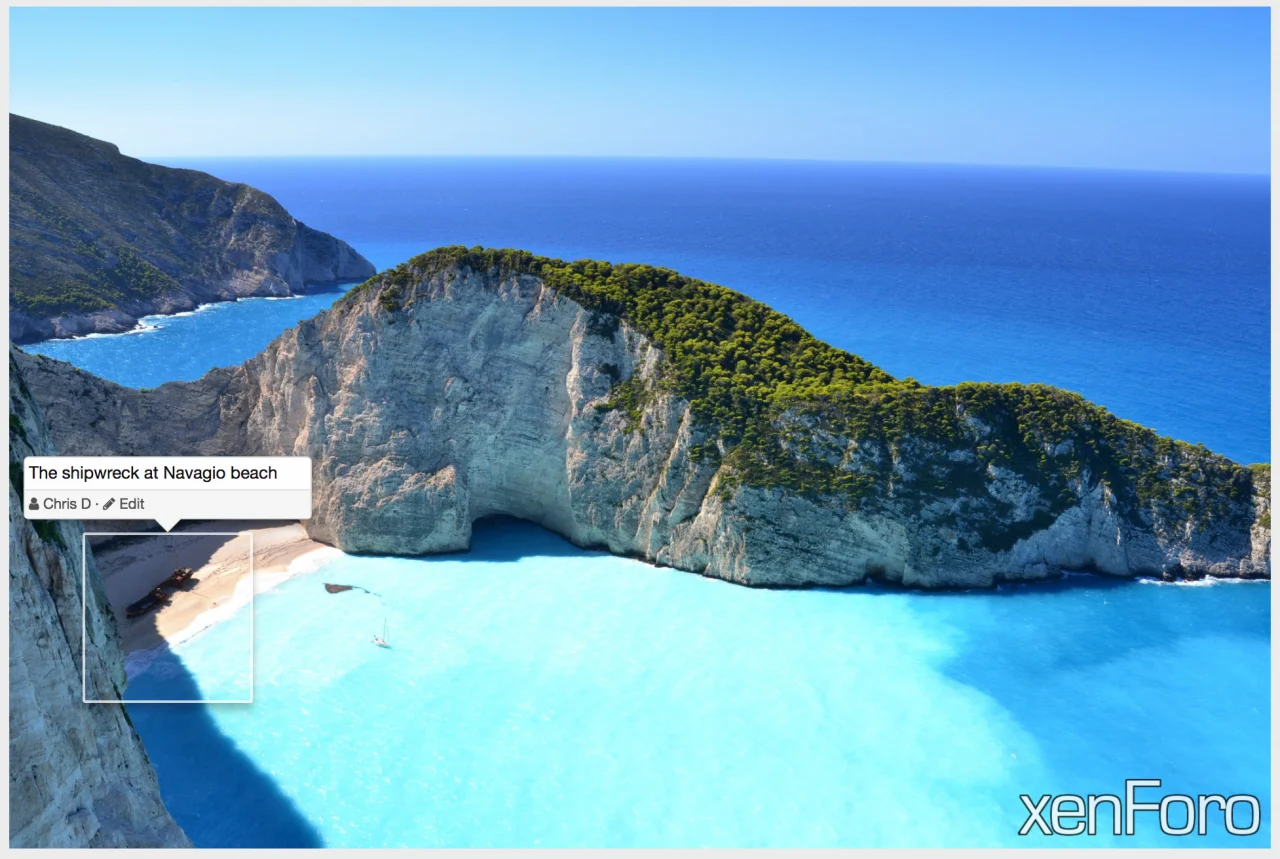
We can also add notes to images in the gallery, which might be useful for noting detail in photos:
The new platform is a complete rewrite (as in, they pretty much threw out all the existing code and started from scratch!) and all customisations I've made for ZooChat will need to be completely rebuilt to work on the new version - no direct upgrades possible! So until now it wasn't really worth doing further customisations to the site because I'd have to build them again before I could upgrade to the new version.
But now that the new software platform is available, it is a good time to look at building new functionality (and fix some existing functionality!) for the next version of ZooChat.
I'd welcome any suggestions for features or functionality you'd like to see on this site.
For reference, here is a long thread about the announcement of the current version of ZooChat (v3) being launched: Welcome to the new ZooChat
... and here is a thread where I show the previous versions: Happy Birthday ZooChat
Some new features that are coming and some additional functionality I'm already looking at building:
Media Gallery
Most importantly - we do have a "new media comments" search available - it tracks which images you've "read" and will show you only new or updated media.
For new functionality: we can now do funky things like include an "album" of photos within a photo category. I haven't had a chance to play with this yet, so I'm not sure what the limitations might be - but I'm hoping we will be able to do things like allow users to upload a group of photos from a single visit to a zoo gallery into their own album, which will help with managing the clutter. Then again, we may just end up with more/different clutter - some experimentation required there.
The upload experience should be a lot smoother in the new version.
There is a new "embed album" bbcode which you can use to show a collection of photos in a thread (you don't get to choose the specific photos - it just shows all photos from that gallery):
We can also add notes to images in the gallery, which might be useful for noting detail in photos:


